The problem isn't the tools. It's where the context lives.
Engineers live in the terminal. During incidents, during deploys, during debugging. The terminal is where production work happens.
But production context doesn't live there. It lives in Grafana dashboards, Slack threads, runbooks buried in Confluence, and the head of the one engineer who was on-call last time this happened. When something breaks at 3am, you're not opening a browser to look at charts. You're in a terminal running kubectl, checking logs, trying to figure out what changed and what depends on what.
The gap between where you work and where production knowledge lives costs time. During an incident, time is everything.
We built NOFire CLI to close that gap.
What NOFire CLI is
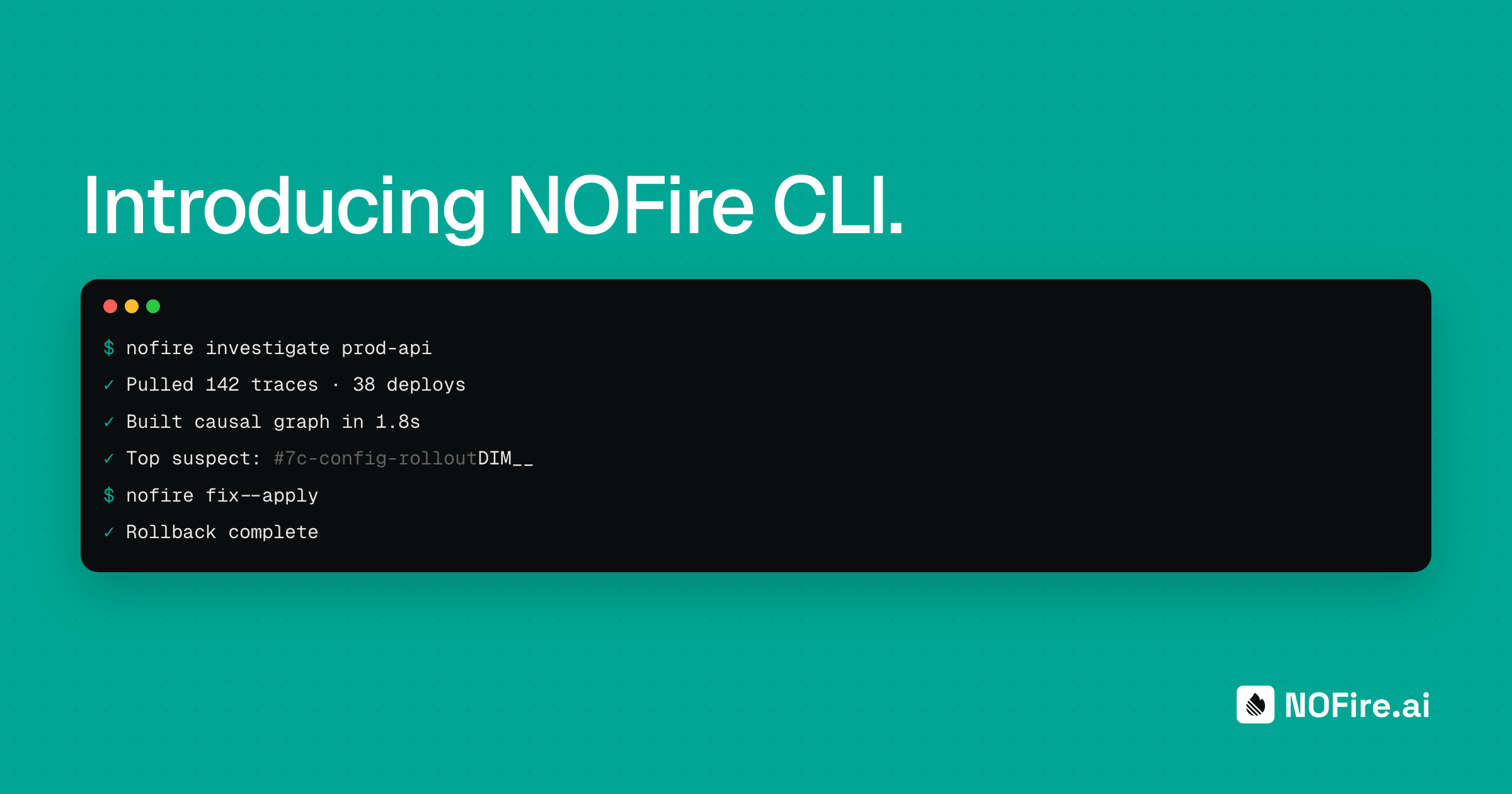
NOFire CLI is a conversational terminal interface that connects directly to your infrastructure and your NOFire account. You ask questions in plain language. You get real answers grounded in your actual production environment: your production, your tribal knowledge, your change history.
This isn't a chatbot wrapper around an API. It's NOFire in your terminal, understanding your cluster and investigating alongside you.
Ask it: "What namespaces are running in demo-cluster?" and you get the actual state of your environment, rendered in a clean terminal table. Ask it: "What services depend on the payment API?" and it traces the dependency chain through the production map.
The conversation is natural. The answers are real. The context is yours.
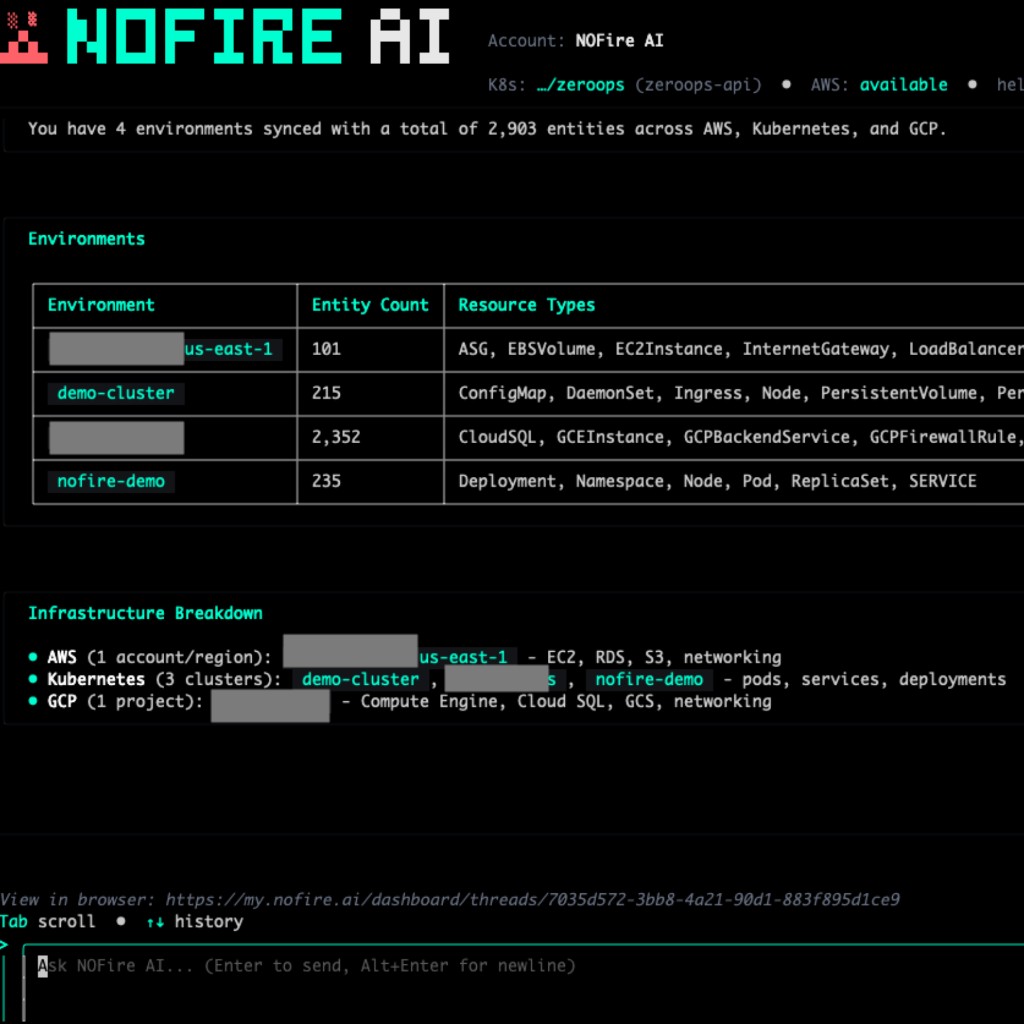
Local tool execution: you stay in control
Here's what makes this fundamentally different from every other AI CLI tool shipping right now.
NOFire CLI runs tools locally. Your kubectl. Your shell. Your helm. Your terraform. The executor runs in your environment, with your credentials. Your credentials and cluster access never leave your machine.
NOFire orchestrates the investigation. It decides what to check, what to correlate, how to map the blast radius. But every command runs in your local environment, under your permissions. You see every command as it executes.
This matters. A lot of AI tools send your cluster data to a remote API, run analysis in someone else's environment, and send back results. That's fine for a demo. It doesn't fly in production. Your security team won't approve it. Your compliance team won't sign off on it.
NOFire CLI works the other way around. NOFire comes to you.
Persistent threads: context that survives the session
Every conversation in NOFire CLI is a persistent thread. When you close the terminal, the context doesn't die.
Start investigating a pod crash at 3am. Run through the dependency chain. Identify the likely cause. Go back to sleep. The next morning, open NOFire in your browser and the full investigation is there. Every query, every result, every tool execution. Pick up exactly where you left off.
This is one of those features that sounds simple until you realize how broken the current experience is. Today, incident context dies with the terminal session. Or it lives in a Slack thread that gets buried. Or someone writes half a post-mortem and never finishes it.
Persistent threads change that. Your investigation becomes a record.
Multi-account support
If you run multiple environments, staging, production, different regions, different teams, the CLI uses per-directory config so each project can point at its own account and cluster. No global state to untangle when you switch context.
Where the CLI fits in the bigger picture
We think about reliability as a gradient. Not a switch you flip. A gradient you earn.
First, understand. Query your environment in plain language. Map dependencies. See what changed and when. That's what you get today with the CLI: production context without the dashboard hunting.
Then, investigate faster. Surface the likely root cause. Map the blast radius before anyone touches anything. Spend minutes instead of hours. That's what NOFire does today.
Then, act with confidence. Execute remediation within policy, with a full audit trail. That's where we're heading.
The CLI is the starting point. The more NOFire understands your environment, the more useful it becomes when something goes wrong.
Getting started
Connect to your account:
nofireai auth loginStart a conversation:
nofireai chat startThat's it. Two commands and you're talking to your production.
Full documentation here.
From investigation to action. In the place you already work.
The terminal is where production work happens. Now it's where production understanding lives too.
Book a demo. Connect NOFire to your cluster. Ask it what changed. See your production, clearly.
If you use Cursor or Claude Code, you can also connect NOFire directly to your IDE via the NOFire MCP server.