In October 2025, Kubernetes SIGs released agent-sandbox, a new CRD for managing AI agent workloads. The rationale is simple: AI agents autonomously write, download, and execute arbitrary code and interact with other systems without supervision. As a result, the requirement for isolation is essential, and since Kubernetes is the de facto orchestration engine for cloud workloads, it's natural to provide first-class primitives for sandboxing these agents.
Exploring the project, we came across the Motivation and Desired Sandbox Characteristics sections in the README file of the repository. In these sections, the README keeps mentioning the isolation aspect of the project and it was immediately clear that urunc, a container runtime for unikernels and single application kernels, seemed a very good fit for such sandboxes.
At NOFire AI, that fit goes beyond theory: every agent action passes through urunc, from reading production state to executing a remediation. One microVM per task, started fresh and torn down after. The boundary is uniform across all operations; it does not distinguish between a read and a write. For the security rationale behind that choice, see Design for breach: the agent in production is untrusted by default. This post is the hands-on complement and showcases how easy it is to set up and use urunc to create such agent sandboxes for Kubernetes.
All YAML and output below were captured from a live k3s cluster.
The new CRD for AI agents
agent-sandbox is a Kubernetes SIG project that introduces a
new CRD for managing isolated execution environments tailored to AI agents.
The goal is to provide a declarative, standardized API for managing such workloads.
The newly introduced API groups and resources are the following:
| API group | Kind | Purpose |
|---|---|---|
agents.x-k8s.io/v1alpha1 | Sandbox | Direct single sandbox |
extensions.agents.x-k8s.io/v1alpha1 | SandboxTemplate | Reusable pod spec blueprint |
extensions.agents.x-k8s.io/v1alpha1 | SandboxClaim | Request a sandbox from a template |
extensions.agents.x-k8s.io/v1alpha1 | SandboxWarmPool | Maintain a pool of N pre-booted sandboxes |
The diagram below shows the end-to-end stack: the platform team deploys the CRD, the agent-sandbox controller creates a Pod, and urunc boots a microVM that wraps the untrusted code in a hardware-enforced boundary.

The most straightforward way to use the new CRD is through a direct sandbox. The
following YAML creates a simple Sandbox named my-sandbox running
a container with the image we specify.
apiVersion: agents.x-k8s.io/v1alpha1
kind: Sandbox
metadata:
  name: my-sandbox
spec:
  podTemplate:
    spec:
      containers:
      - name: my-container
        image: <IMAGE>
Essentially, the sandbox CR creates and manages a Pod and a Service for
each sandbox. The Pod is created based on the Sandbox definition.
For each Pod, a new Service is created to provide a stable network
identity for the sandbox. Therefore, we can easily reach the above sandbox
through its hostname (my-sandbox).
Sandbox Templates and Warm Pools
The Sandbox resource gets created when we deploy it, but there are cases where creating a Sandbox from scratch can take some time. Especially when we need to execute a small task, it is not ideal to wait seconds for scheduling, image pulling, container startup and readiness. Instead, the ideal case is to have a pool of existing sandboxes. For this reason, Sandbox Templates and Warm Pools decouple provisioning from allocation.
The key benefit: an agent only needs to know the template name. The platform team controls the runtime, image, resource limits, and network policy in one place. Rotating the image or adding resource quotas is a one-line template update and all future claims pick it up automatically.
The extension kinds build on top of the base Sandbox primitive:
- The SandboxTemplate captures the golden configuration: which container image, what resource limits, which RuntimeClass, security policies, and sidecar containers.
- The SandboxWarmPool references a SandboxTemplate and declares a replica count
(e.g., 5). The WarmPool controller enters its reconcile loop and provisions
Sandbox CRs until the desired number of idle
Ready=Truesandboxes exist. - The SandboxClaim references a SandboxTemplate and creates a brand new sandbox or retrieves one from the warm pool.
urunc as the container runtime for the agent sandbox
urunc is a CRI-compatible container runtime for unikernels and single application kernels. The idea behind urunc is that the sandbox should be as small as possible and contain only the untrusted parts of a deployment. Therefore, in contrast to other sandboxed containers, the sandbox (e.g. microVM) runs one and only one container. Every workload is packaged with its own kernel either linked together (unikernel) or as a separate OCI layer (generic kernels). As a result, urunc can support both software- and VM-based sandboxes, along with a variety of guest types, from unikernels to more general-purpose kernels like Linux and BSD.
The following diagram compares the isolation boundary each runtime provides. Standard runc containers share the host kernel, gVisor intercepts syscalls in software, and urunc (like Kata) places the workload inside a microVM.

Creating container images for urunc
Due to urunc's design, for the time being, it is not possible to use an existing OCI image for a container. For existing OCI images, we need to append the kernel and some metadata information to instruct urunc about the respective sandbox. To simplify the whole process, there is bunny, a buildkit frontend, which takes care of packaging the unikernel or an existing OCI image to execute on top of urunc. Bunny can parse two types of files: a) the typical Containerfile-like syntax file and b) a specific YAML-based file for bunny.
Figure 3 shows how Bunny repackages a standard OCI image: it adds a Linux kernel layer and urunc-specific annotations so the image stays OCI-compliant but boots as a microVM.

Let's take as an example the python-runtime-sandbox example in the agent-sandbox repository. Since this is a container targeting Linux, we will package it with Bunny in a way to boot over QEMU with a Linux kernel. In addition, we will append an init application called urunit, which can read information passed in the VM from urunc and set up the necessary execution environment for the application.
The simplest way to build this image with Bunny is to prepend the line
#syntax=harbor.nbfc.io/nubificus/bunny:latest at the top of the Dockerfile.
View Dockerfile
#syntax=harbor.nbfc.io/nubificus/bunny:latest
# Use the official Python image from the Docker Hub as the base image.
FROM python:3.11-slim

WORKDIR /app

# Installation of dependencies for python runtime sandbox.
COPY requirements.txt .

RUN pip install --no-cache-dir --require-hashes -r requirements.txt

COPY main.py .

# Change ownership of the /app directory to the non-root user 1000.
RUN chown -R 1000:1000 /app
USER 1000

# Expose the port that the Uvicorn server will run on.
# This must match the port in the CMD instruction below.
EXPOSE 8888

# The command to run when the container starts.
# This starts the Uvicorn server, making our API available.
CMD ["uvicorn", "main:app", "--host", "0.0.0.0", "--port", "8888", "--log-level", "trace"]
We can build it as any other container image with:
docker build -f Dockerfile -t myregistry/python-runtime-sandbox-urunc:latest --push .If we have an existing image built and just want to make it
compatible with urunc, we advise to use the bunnyfile-like syntax. For example,
the bunnyfile below will produce the same image as above:
Equivalent Bunnyfile
#syntax=harbor.nbfc.io/nubificus/bunny:latest
version: v0.1

platforms:
  framework: linux
  monitor: qemu
  architecture: x86

rootfs:
  from: myregistry/python-runtime-sandbox:latest
  type: raw
  include:
  - from: harbor.nbfc.io/nubificus/urunit:latest
    source: /urunit
    destination: /urunit

kernel:
  from: harbor.nbfc.io/nubificus/bunny/linux-kernel-qemu:latest
  path: /.boot/kernel

entrypoint: ["/urunit"]

cmd: ["uvicorn", "main:app", "--host", "0.0.0.0", "--port", "8888", "--log-level", "trace"]
We can build it as any other container image with:
docker build -f bunnyfile -t myregistry/python-runtime-sandbox-urunc:latest --push .Prerequisites
Before following along, we will need:
- A running Kubernetes cluster (we used k3s)
- The agent-sandbox CRD installed
- urunc installed and registered as a RuntimeClass
- Bunny for building urunc-compatible images
Installation steps
# Clone the agent-sandbox repo
git clone https://github.com/kubernetes-sigs/agent-sandbox.git
cd agent-sandbox

# Install the CRDs and controller
kubectl apply -k config/default

# Clone the urunc repo
git clone https://github.com/urunc-dev/urunc.git
For urunc installation on Kubernetes, follow the urunc k8s tutorial.
Using urunc in agent-sandbox
With the prerequisites in place, let's deploy sandboxes using urunc:
Part 1: Bare Sandbox
First, to verify that everything works, let's create a simple sandbox directly based on the python-sandbox-runtime container we built previously.
# sandbox.yaml
apiVersion: agents.x-k8s.io/v1alpha1
kind: Sandbox
metadata:
  name: hello-sandbox
spec:
  podTemplate:
    spec:
      runtimeClassName: urunc
      containers:
      - name: executor
        image: myregistry/python-runtime-sandbox-urunc:latest
        ports:
        - containerPort: 8888
kubectl apply -f sandbox.yamlAs soon as it gets ready, we can find its IP address:
kubectl get pods -o wideNAME READY STATUS RESTARTS AGE IP NODE NOMINATED NODE READINESS GATES
hello-sandbox 1/1 Running 0 6s 10.42.0.20 tmp-k3s-test <none> <none>Then we can check its health status:
curl http://10.42.0.20:8888{"status":"ok","message":"Sandbox Runtime is active."}We can also execute commands inside it:
curl -s -X POST http://10.42.0.20:8888/execute \
  -H 'Content-Type: application/json' \
  -d '{"command":"echo hello world"}'| json_pp
{
"exit_code" : 0,
"stderr" : "",
"stdout" : "hello world\n"
}The figure below traces the full request path: a client sends a POST /execute, the Service routes to the Pod, the python runtime sandbox runs the command inside the urunc microVM, and the response carries back exit_code, stdout, and stderr.

Part 2: SandboxTemplate + SandboxClaim
The SandboxTemplate / SandboxClaim pattern separates what a sandbox looks
like from who requests one. First, we need to create the
SandboxTemplate. The equivalent SandboxTemplate of the previously
deployed Sandbox is:
# template.yaml
apiVersion: extensions.agents.x-k8s.io/v1alpha1
kind: SandboxTemplate
metadata:
  name: urunc-python-sandbox
spec:
  podTemplate:
    spec:
      runtimeClassName: urunc
      containers:
      - name: executor
        image: myregistry/python-runtime-sandbox-urunc:latest
        ports:
        - containerPort: 8888
kubectl apply -f template.yamlThen we can claim sandboxes from the previous SandboxTemplate with:
# claim.yaml
apiVersion: extensions.agents.x-k8s.io/v1alpha1
kind: SandboxClaim
metadata:
  name: template-claim
spec:
  sandboxTemplateRef:
    name: urunc-python-sandbox
kubectl apply -f claim.yamlOnce ready, we can find its IP address:
kubectl get pods -o wideNAME READY STATUS RESTARTS AGE IP NODE NOMINATED NODE READINESS GATES
hello-sandbox 1/1 Running 0 17m 10.42.0.20 tmp-k3s-test <none> <none>
template-claim 1/1 Running 0 4s 10.42.0.21 tmp-k3s-test <none> <none>and ensure it works properly:
# Health check
curl http://10.42.0.21:8888{"status":"ok","message":"Sandbox Runtime is active."}# Execute commands
curl -s -X POST http://10.42.0.21:8888/execute \
-H 'Content-Type: application/json' \
-d '{"command":"echo hello template"}'| json_pp{
"exit_code" : 0,
"stderr" : "",
"stdout" : "hello template\n"
}Part 3: SandboxWarmPool
As previously mentioned, starting a new sandbox from scratch can take seconds even for normal containers. Later in this post, we present numbers from our evaluation.
SandboxWarmPool solves the startup latency by keeping N sandboxes pre-booted.
When a SandboxClaim arrives, the controller binds it to an already-running
warm sandbox instantly. Let's try it out.
To create a SandboxWarmPool based on the SandboxTemplate we used in the previous part:
# warmpool.yaml
apiVersion: extensions.agents.x-k8s.io/v1alpha1
kind: SandboxWarmPool
metadata:
  name: urunc-pool
spec:
  sandboxTemplateRef:
    name: urunc-python-sandbox
  replicas: 3
kubectl apply -f warmpool.yamlThe controller immediately creates three sandbox Pods:
kubectl get podsNAME READY STATUS RESTARTS AGE IP NODE NOMINATED NODE READINESS GATES
hello-sandbox 1/1 Running 0 23m 10.42.0.20 tmp-k3s-test <none> <none>
template-claim 1/1 Running 0 6m29s 10.42.0.21 tmp-k3s-test <none> <none>
urunc-pool-258qc 1/1 Running 0 8s 10.42.0.22 tmp-k3s-test <none> <none>
urunc-pool-w27s8 1/1 Running 0 8s 10.42.0.23 tmp-k3s-test <none> <none>
urunc-pool-zhdxh 1/1 Running 0 8s 10.42.0.24 tmp-k3s-test <none> <none>We can then claim a sandbox from the SandboxWarmPool, using a similar YAML file, changing only the name.
# warmpool_claim.yaml
apiVersion: extensions.agents.x-k8s.io/v1alpha1
kind: SandboxClaim
metadata:
  name: warmpool-claim
spec:
  sandboxTemplateRef:
    name: urunc-python-sandbox
Let's apply it:
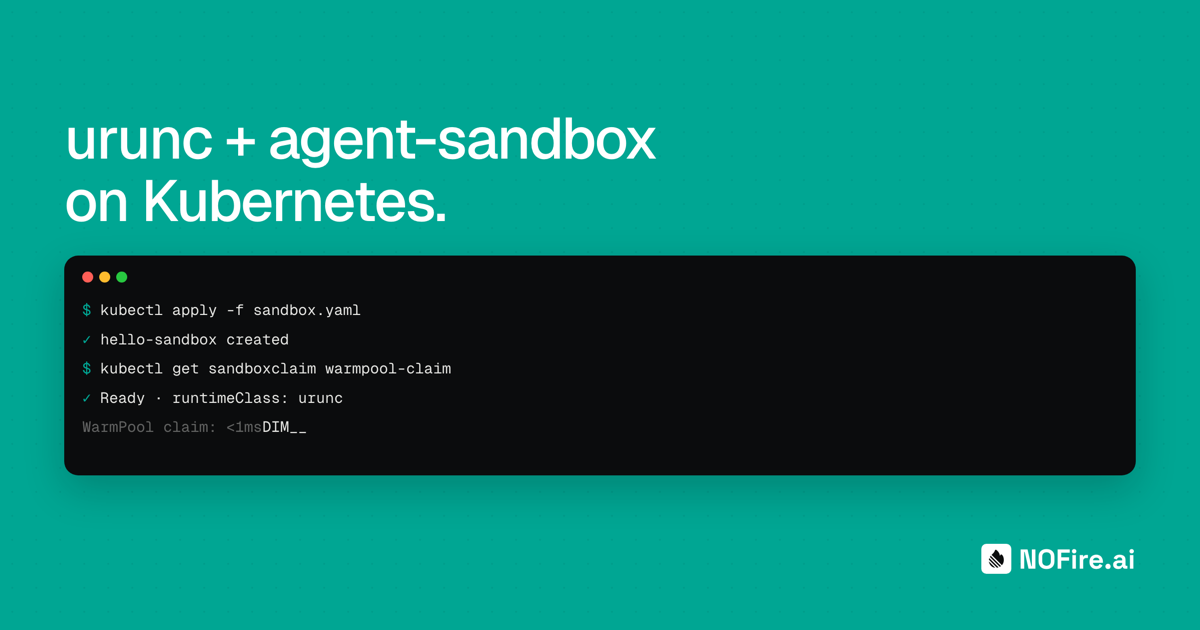
kubectl apply -f warmpool_claim.yamlThe claim resolves in milliseconds and the controller binds the claim, creates a Service, and waits for endpoint propagation. The sandbox itself was already running; the latency is pure API overhead.
kubectl get sandboxclaim warmpool-claim -o jsonpath='{.status}' | json_ppSandboxClaim status output
{
   "conditions" : [
      {
         "lastTransitionTime" : "2026-05-21T12:31:07Z",
         "message" : "Pod is Ready",
         "observedGeneration" : 2,
         "reason" : "DependenciesReady",
         "status" : "True",
         "type" : "Ready"
      }
   ],
   "sandbox" : {
      "name" : "urunc-pool-258qc",
      "podIPs" : [
         "10.42.0.22"
      ]
   }
}
The sandbox.name is urunc-pool-258qc, an existing pool member, not a freshly
created pod.
In the meantime another sandbox is created from the WarmPool:
kubectl get podsNAME READY STATUS RESTARTS AGE IP NODE NOMINATED NODE READINESS GATES
hello-sandbox 1/1 Running 0 29m 10.42.0.20 tmp-k3s-test <none> <none>
template-claim 1/1 Running 0 11m 10.42.0.21 tmp-k3s-test <none> <none>
urunc-pool-258qc 1/1 Running 0 5m23s 10.42.0.22 tmp-k3s-test <none> <none>
urunc-pool-h72jk 1/1 Running 0 7s 10.42.0.25 tmp-k3s-test <none> <none>
urunc-pool-w27s8 1/1 Running 0 5m23s 10.42.0.23 tmp-k3s-test <none> <none>
urunc-pool-zhdxh 1/1 Running 0 5m23s 10.42.0.24 tmp-k3s-test <none> <none>Cold start and Warm Pool claim latency
To measure the latency of creating a new sandbox from scratch and claiming one
from an existing warm pool, we performed a small evaluation using the
agentic-sandbox-client.
We measured the duration from the moment we performed the SandboxClaim till the
first successful HTTP GET response in /.
View benchmark script
#!/usr/bin/env python3
"""
Measures time from sandbox creation to first successful health check for python-runtime-sandbox

Usage:
    python sandbox_health_check_timer.py <template-name>

Example:
    python sandbox_health_check_timer.py python-sandbox-template
"""

import argparse
import sys
import time
from k8s_agent_sandbox import SandboxClient
from k8s_agent_sandbox.models import SandboxLocalTunnelConnectionConfig


def wait_for_health_check(sandbox, timeout_seconds=300):
    start_time = time.time()
    attempts = 0

    while True:
        attempts += 1
        elapsed = time.time() - start_time

        if elapsed > timeout_seconds:
            raise TimeoutError(
                f"Health check did not succeed after {timeout_seconds}s "
                f"({attempts} attempts)"
            )

        try:
            response = sandbox.connector.send_request("GET", "/")

            if response.status_code == 200:
                elapsed_time = time.time() - start_time
                return elapsed_time

        except Exception as e:
            print(f"  Attempt {attempts} failed after {elapsed:.2f}s: {type(e).__name__}")


def main():
    parser = argparse.ArgumentParser(
        description="Create a sandbox and measure time to first successful health check"
    )
    parser.add_argument(
        "template",
        help="Name of the SandboxTemplate to use (e.g., python-sandbox-template)"
    )
    parser.add_argument(
        "--namespace",
        default="default",
        help="Kubernetes namespace to create sandbox in (default: default)"
    )
    parser.add_argument(
        "--timeout",
        type=int,
        default=300,
        help="Maximum time to wait for health check in seconds (default: 300)"
    )

    args = parser.parse_args()

    client = SandboxClient(
        connection_config=SandboxLocalTunnelConnectionConfig()
    )

    sandbox = None
    try:
        creation_start = time.time()
        sandbox = client.create_sandbox(
            template=args.template,
            namespace=args.namespace,
        )
        creation_time = time.time() - creation_start
        health_time = wait_for_health_check(sandbox, timeout_seconds=args.timeout)

        print(f"Creation: {creation_time:.3f}")
        print(f"Check: {health_time:.3f}")
        print(f"Total: {health_time + creation_time:.3f}")

    except TimeoutError as e:
        print(f"\n✗ ERROR: {e}", file=sys.stderr)
        sys.exit(1)

    except KeyboardInterrupt:
        print("\n\n✗ Interrupted by user", file=sys.stderr)
        sys.exit(130)

    except Exception as e:
        print(f"\n✗ ERROR: {type(e).__name__}: {e}", file=sys.stderr)
        sys.exit(1)

    finally:
        if sandbox:
            try:
                sandbox.terminate()
            except Exception as e:
                print(f"✗ Warning: Failed to terminate sandbox: {e}", file=sys.stderr)


if __name__ == "__main__":
    main()
We executed the above script 100 times for 6 different templates, each
using the same application (python-runtime-sandbox) deployed over a
different runtime/sandbox: 1) normal containers, 2) gVisor, 3) Kata with
QEMU, 4) Kata with Firecracker, 5) urunc with Linux and QEMU, and 6) urunc with
Linux and Firecracker.
The table below shows the average response time (with min–max values in square brackets) for both cold and warm pool claims:
| runc | gVisor | Kata FC | urunc QEMU | urunc FC | |
|---|---|---|---|---|---|
| Cold start | 1941 | 2435 | 3015 | 2375 | 2396 |
| Warm pool | 698 | 875 | 942 | 740 | 769 |
Single-node k3s with Calico, Intel NUC 4-core 16 GB RAM. Kata Firecracker shown (faster Kata variant). Full min/max ranges available on request.
As expected, SandboxWarmPool collapses cold-start latency for all runtimes. Kata Containers is the slowest sandboxed runtime, while urunc is slightly faster than gVisor, with only ~20% overhead compared to runc. It is important to note, though, that urunc provides a VM-based sandbox rather than gVisor's software-only isolation.
Conclusion and final thoughts
In this post we explored agent-sandbox, the new Kubernetes CRD for AI agent deployments, and showed how straightforward it is to plug in urunc as the underlying runtime. Our early evaluation confirms that urunc provides comparable cold-start latency with normal containers despite spawning a VM. Furthermore, urunc supports any type of guest, from unikernels to generic kernels including BSD, opening the door to minimal, purpose-built sandboxes with even smaller attack surfaces than Linux. In a more extensive evaluation, we deployed 165–210 Linux-based urunc containers on a Raspberry Pi with just 8 GB of memory, with scaling latency from 0 to 100 pods comparable to normal containers. These results reinforce that urunc is a viable choice for both cold-start and warm-pool scenarios, where idle sandboxes must stay ready without wasting cluster resources, and as guest diversity grows, the isolation and density advantages will only compound.
At NOFire AI, this is the isolation layer our production agentic workloads run on. Those benchmark numbers are precisely what the design for breach post argues for: urunc gives us a hardware-enforced boundary at the CPU's virtualization layer, not a shared kernel, and the warm pool makes that cost operationally irrelevant. That substrate, combined with scoped per-task identity and actions mediated by the Context & Control Model, is what makes it safe to put AI agents on the critical path of production changes. If you'd like to see it on your stack, request a demo.